
Docs
Before you install
- You need Node ≥ 20, npm, curl or wget, and tar.
- You can install and browse without a handle.
- The installer needs network access to download the release and its runtime dependency.
- Runs need a reachable model endpoint or a host declared in the manifest. oloop can install and start declared hosts. The local Ollama samples need no API key.
Install, one location
Install the current release with this command:
curl -fsSL https://oloop.run/install.sh | sh
The installer checks the release against SHA256SUMS. It stops if the hash does
not match. It prints the installed version and hash. The release checksum is at
/engine/SHA256SUMS.
Install location and project root
| Path | Holds |
|---|---|
~/.oloop | The engine, the oloop command, the npm cache, and your CLI key file. This is the install location. |
<cwd>/.oloop | The default project root. oloop stores installed harnesses, model rows, host state, caches, and logs here. You can choose another root. |
The installer does not edit your PATH, shell config, or system package managers. This command removes the default CLI installation:
rm -rf ~/.oloopProject roots and their hosts need separate removal. This does not stop running model hosts. Remove project state through the CLI before deleting its folder.
Add the command to your PATH
Run this for the current shell. Add it to your shell config if you want it in new shells.
export PATH="$HOME/.oloop/bin:$PATH"Model rows
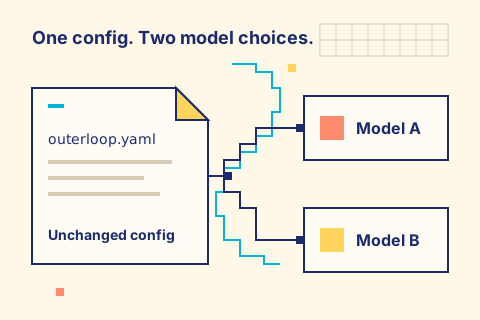
A model row is a YAML file that describes a model endpoint. It can name a server's
baseUrl or the model served by a declared host. The manifest selects the model.
oloop stores model rows under the project root's models/ directory.
These read-only rows are examples:
- qwen2.5-0.5b.yaml: a local Ollama row that needs no API key.
- qwen3.8-latest.yaml: a local Ollama row.
- qwen3.8-27b-4bit.yaml: a model row for a declared host. The host supplies its endpoint.
An agent page's run block downloads its model rows. A row for an existing server still needs that server to be running.
Claim a handle
A handle names your public agents and configs. Claim one with the CLI:
oloop hub claim <handle> --email <you@example.com> --waitYou can also reserve a handle on the site. It prints an install command with a single-use claim ID. The CLI creates your key and prints a verification code. Email the code from your chosen mailbox to the address shown. You do not need a password.
Back up your key. oloop hub claim writes it to
~/.oloop/hub-key by default. If you lose it, use
oloop hub recover <handle> --email <you@example.com> from your bound
mailbox. Completed recovery revokes the old key and all sessions.
Publish and pull
# from a directory with outerloop.yaml + AGENT.md (+ optional skills/, commands/, models/):
oloop publish <dir> <art> <semver>
oloop pull <owner>/<art>[@<version>]
Publish stores an immutable version bundle, an @latest pointer, a version index,
and a public page. The page shows AGENT.md, the manifest, declared tools, and
recent versions. Publishing the same version and bytes again makes no change. Different
bytes for that version cause a conflict. oloop pull writes the files and
manifest.yaml into the current directory. It asks before overwriting existing
files unless you use --force.
oloop hub rm replaces the agent page with a deletion notice. Old pinned bundles
remain available unless operators withdraw the artifact. Restore a deleted artifact with
oloop hub rollback.
Pulling an agent needs a free handle. Reserve one, or let
oloop exec or oloop pull start the claim. Pinned bundles already in
your project root still run offline. An API outage blocks new pulls only.
Verify a manifest
oloop verify <owner>/<art>[@<version>] pulls the manifest,
runs the task for real, and judges the result with the manifest oracle. It then posts the
result to the Hub. This is not a preview or a dry run.
Verifying needs a free handle. If you have no stored key, the CLI starts the claim on first use. The result is public under your handle.
An oracle pass means its configured check passed. It is not a security review and does not guarantee a correct answer. A Verified run means the manifest oracle passed in a reported real run under Hub checks. A Failed run reached the oracle and did not pass.
A submitted result is credited only after Hub checks and the next hourly rollup. A held result is not credited immediately. Your profile link is a place to check credit, not a promise of it.
The run and its upload are separate. The receipt records submitted or
not submitted. If the upload fails, the run outcome and the exit code do not
change, and your local result is saved. Offline, the CLI prints
Not submitted. Your local result is saved. A run ticket may expire before a
retry.
Reading the site
Machine defaults lists setup profiles, hardware requirements, and test evidence.
These labels explain setup evidence, provenance, and handle payment:
| Label | Means | Does not mean |
|---|---|---|
| Operator evidence | Outerloop ran this pinned setup on the stated hardware. | It is not a security review. |
| Verified run | The manifest oracle passed in a reported real run under Hub checks. | It does not prove the publisher is safe or the task useful. |
| Failed run | The run reached the oracle and did not pass. | It is not every setup error and not failure on all hardware. |
| Community runs | Eligible community results. | They are not operator qualification; handles are not people. |
| Default for <facet> | The selected default for that facet with a passing operator record. | It is not a universal best choice. |
| Official | Published by the reserved Outerloop account. | Origin only; it is not evidence of a pass. |
| Checksum verified | The published bytes match the recorded checksum. | It does not certify safety or authorship. |
| Signature verified | The published signature matches the expected key. | It does not certify safety or authorship. |
| paid handle | A purchased handle. Its badge is separate from setup evidence. | Payment does not verify the publisher or the content. |
Digests identify published bytes. Request counts measure requests, not runs or users. Read the window and refresh label beside each count.
Data and privacy
The CLI sends a coarse machine profile and your use of public manifests to oloop.run by default. This is the recommendations feature; it sends no prompts, files, paths, or keys. The profile fields are platform, arch, ramClass, cpuCores, chipFamily, osFamily, and gpu. The usage event fields are kind, manifest, version, harness, host, machineClass, outcome, and engineVersion. Turn automatic sends off with oloop recommendations off; list them with oloop recommendations status. Hub commands (pull, publish, login) and model calls still use the network when it is off. An API outage blocks new pulls only; pinned bundles already in your project root still run offline. Read the Privacy policy for the full inventory, retention, and deletion. Clear the stored session machine profile with DELETE /api/session/machine; the next hourly rollup recomputes the affected aggregates. It stops future sends from that session; it does not erase counts already aggregated. Per-handle stats and verified runs are public under the handle, not anonymous. Read the Terms for publishing rules.
Why one root
oloop installs a pinned harness under the project root. It does not use a harness from your
PATH or your global provider config. Existing model servers are referenced by
baseUrl. Declared hosts can be installed and started under the root.
Benchmark methodology
Benchmark numbers are self-reported real runs, not laboratory
measurements. The metric is decode throughput in tokens-per-second
(tokensPerSecond), captured by the CLI from a real verify or
exec run and keyed by model, quantization, machine class, and host. The Hub
folds each sample into a fixed 64-bucket log-spaced histogram, so storage stays bounded and
the percentiles are reproducible. Simulated probes and --machine overrides are
excluded. Missing measurements are omitted, never guessed.
A cell is published only with at least 5 samples from at least 3 distinct handles. Below either floor, the page shows "Not enough data yet" and no number. Published numbers are the median (p50) and the 90th percentile (p90) of tokens-per-second; minimum and maximum are bucket edges. Precision is bounded by the bucket width, about 12%.
Throughput varies with quantization, context length, batch and prompt shape, thermals, background load, and the harness and host build. The numbers are guidance for a machine class, never a guarantee. Read the Privacy policy for what a run sends.